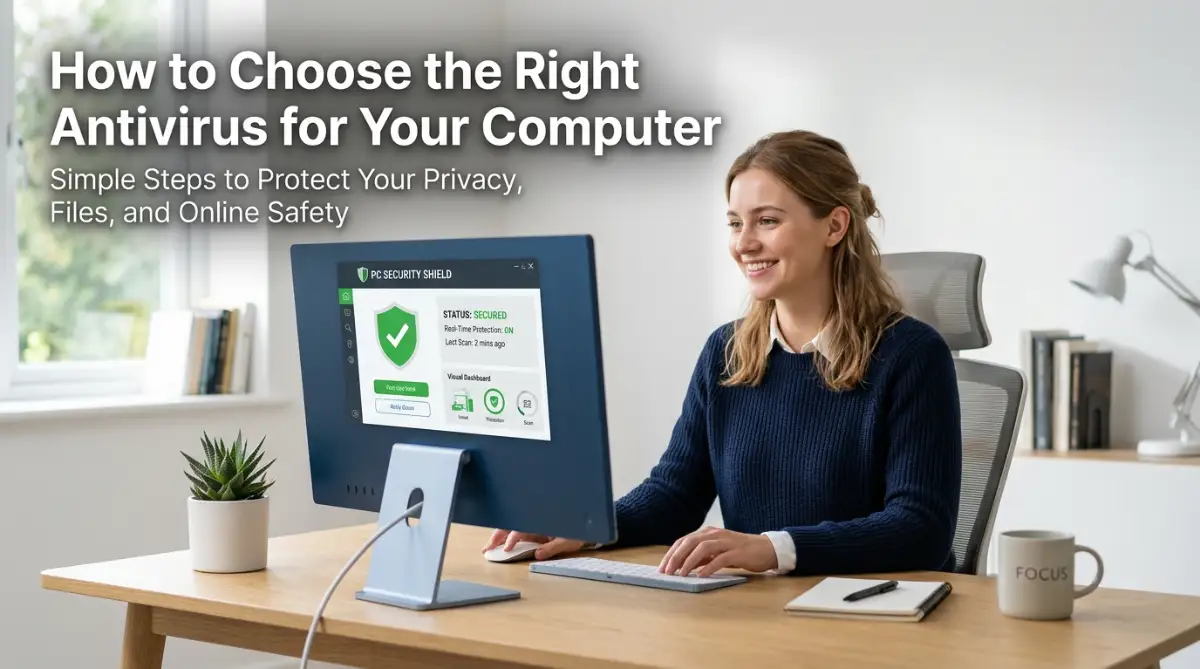
The Hidden Stress of Managing Your Family's Digital Life
Think about how many times a day you hear someone in your house shout, "What is the Netflix password?" Or maybe you have a relative who keeps calling you because they got locked out of their email again.
These moments seem small, but they add up to a lot of daily stress. Most families deal with a messy pile of login details for streaming sites, bank accounts, and school portals.
When we can't find a password, it ruins our mood. It stops us from getting things done. Sharing passwords over text or on sticky notes feels like the only way, but it is actually very risky.
We live so much of our lives online now. Each family member has dozens of accounts, and trying to remember them all is simply impossible for the human brain.
Why Most Families Fail at Digital Security
- Using the same password everywhere: Most people use one simple password for everything. If a hacker gets that one password, they can enter every single account you own.
- Trusting "Memory" alone: We think we will remember that new bank password, but we always forget it by the next morning.
- Risky sharing habits: We send private login info through WhatsApp or SMS. These messages are not always private and can be seen by others.
- The "Sticky Note" problem: Leaving passwords written on a piece of paper near the computer is an invitation for trouble.
- Ignoring updates: Many families use old software that doesn't have the latest security features.
- Lack of a central system: Without a "home base" for logins, everyone is just guessing and getting frustrated.
How Poor Password Habits Hurt Your Peace of Mind
- Constant Anxiety: You always worry that someone might hack your bank account or social media because your password is too weak.
- Loss of Time: You spend hours every month hitting the "Forgot Password" button and waiting for reset emails.
- Family Arguments: Stress levels rise when one person changes a shared password and forgets to tell everyone else.
- Fear of Identity Theft: Knowing your family is unprotected makes you feel vulnerable to digital criminals.
- Feeling Overwhelmed: The sheer number of accounts makes you want to give up on being secure altogether.
- Loss of Control: You feel like you no longer own your digital space because it is so disorganized
The Harsh Reality of the Digital Age for Parents
Modern parenting is not just about physical safety anymore. It is about digital safety too. We teach our kids to lock the front door, but we often leave our digital doors wide open.
Hackers do not care if you are a "small target." They use automated tools to find any weak password they can. If your child uses a weak password for a game, it could lead a hacker to your home Wi-Fi or even your credit card info.
The reality is that manual password management is dead. You cannot keep up with the modern internet using your brain or a notebook. You need a system that works for everyone, from your tech-savvy teen to your retired parents.
Without a dedicated family tool, you are basically leaving your house keys under the doormat. It might work for a while, but eventually, someone is going to walk right in.
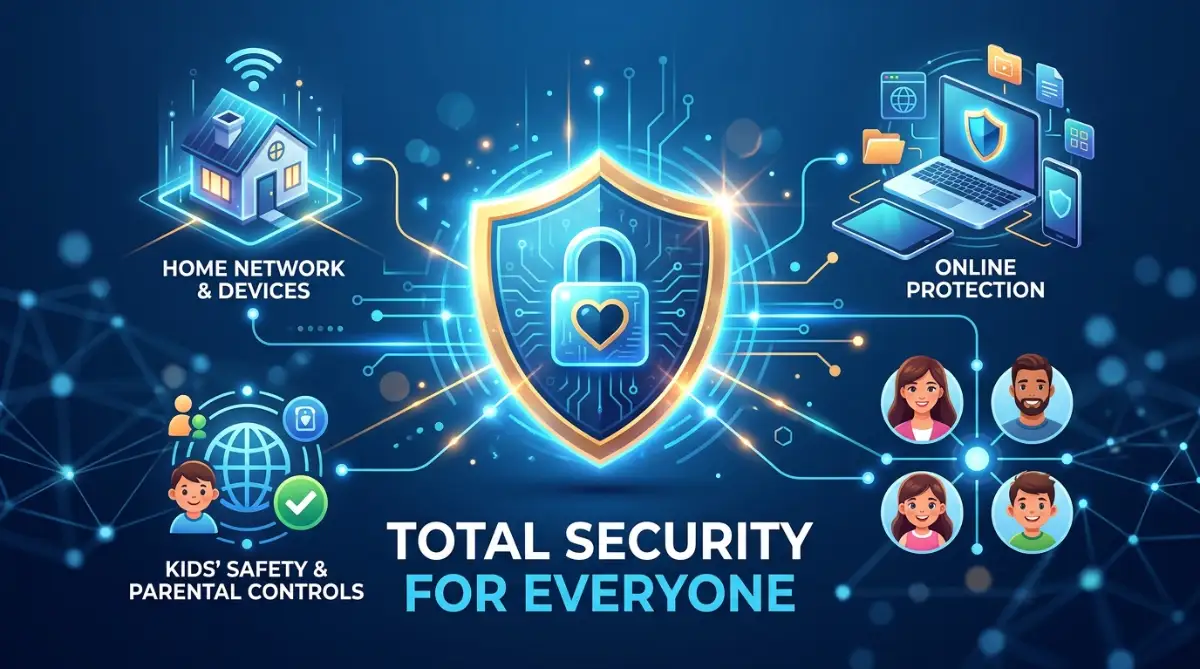
A Simple Guide to Securing Your Family’s Digital World
The good news is that you don't need to be a computer genius to fix this. You just need a plan. Let’s look at the first steps you can take to bring order to the chaos.
Step 1: Create a "Digital Master Key" for the Household
The first step is to stop trying to remember 50 different passwords. Instead, you only need to remember one very strong master password.
This master password acts like the key to a high-security vault. Inside that vault, the software stores all your other complex passwords.
When you pick a master password, make sure it is a "passphrase." A passphrase is a long string of words that is easy for you to remember but hard for a computer to guess.
For example, instead of using "P@ssword123," you could use something like "BlueCloudsDanceInTheGreenSummer." Longer is always better than more complex.
Once you have this master key, you are the only one who can open your vault. This gives you immediate power over your digital life.
Step 2: Set Up a Secure Shared Vault for Everyone
Most people think of password managers as personal tools. However, for a family, the Shared Vault is the most important feature.
A shared vault is a specific folder where you put passwords that everyone needs. This includes things like the Wi-Fi password, the Netflix login, or the utility bill portal.
When you put a password in the shared vault, it automatically appears on everyone's device. No more shouting across the house!
If you change the Disney+ password, it updates for your kids and spouse instantly. This saves a massive amount of time and prevents confusion.
You can also set permissions. This means you can let your kids use the Netflix password without actually letting them see what the password is. This keeps them from accidentally changing it or sharing it with friends
it or shari
Step 3: Enable "Multi-Factor" Protection on Every Account
Having a strong password is great, but adding a second layer of security is even better. This is called Multi-Factor Authentication (MFA) or Two-Factor Authentication (2FA).
MFA means that even if a hacker steals your password, they still cannot get in. They would also need a code from your phone or a fingerprint.
Most family-focused security tools help you manage these codes. Instead of getting a text message (which can be intercepted), the app generates a code for you.
You should turn this on for your most important accounts first. Start with your primary email, your bank, and your social media.
Think of MFA as a second lock on your door. If someone picks the first lock, the second one keeps them out. It provides a huge boost to your mental peace.
Why These Steps Work for Normal People
We use these methods because they are based on how security experts protect data. It is not about being "paranoid"; it is about being smart.
By following these three steps, you move from a state of "digital mess" to "digital fortress." You stop being a victim of your own memory.
You also set a great example for your children. They learn that digital privacy is important. They see you taking steps to protect the family, and they will carry those habits into their own adult lives.
Modern security tools are designed to be "invisible." Once you set them up, they work in the background. They fill in your usernames and passwords automatically so you don't have to type.
The Power of Automation in Your Daily Life
Imagine waking up and not having to worry about a single login. You open your laptop, click a button, and you are in.
When you need to pay a bill, the info is right there. When your child needs to log into their school portal, they can do it themselves without asking you.
This is the real benefit of a password manager. It is not just about "security." It is about reclaiming your time.
You gain back those minutes spent searching through old emails for a reset link. You stop the stress of "Account Locked" messages.
A family that uses a shared system is a family that is more organized. It allows you to focus on what matters, like spending time together, rather than fighting with a login screen.
Choosing the Right Fit for Your Home
Not every family is the same. Some families use only iPhones, while others have a mix of Android, Windows, and Mac
You need to look for a tool that works on every device you own. If it doesn't work on your phone, you won't use it.
Ease of use is the most important factor. If the app is too hard to understand, your family members will stop using it after two days.
Look for a clean interface and big, clear buttons. The goal is to make security so easy that it feels like a habit, not a chore.
In the next part of this guide, we will look at more advanced ways to keep your kids safe online. We will talk about how to audit your old passwords and what to do if you find out your data has been leaked.
Security is a journey, not a destination. But with the right tools, it is a very easy journey to take.
Your family deserves to feel safe. You deserve to feel organized. Taking these first steps today will change how you use the internet forever.
Stay tuned as we dive deeper into the world of family digital protection
Taking Your Family's Digital Safety to the Next Level
Now that you have the basics down, it is time to look at the more advanced ways to protect your home. According to experts at Forbes, using a dedicated tool is the first line of defense against modern cyber threats.
Managing passwords is just like how to build a bulletproof emergency fund fast. You are setting up a safety net today so that you don't face a crisis tomorrow.
Security is not a one-time setup. It is a habit that grows over time. We need to look at how to handle emergencies and how to keep your digital vault healthy for the long term.
Step 4: Setting Up Your "Digital Will" and Emergency Access
Have you ever wondered what would happen to your family photos or bank accounts if you were not around? This is a heavy thought, but it is a very important part of being a responsible adult in a digital world.
Most high-quality family password managers have a feature called "Emergency Access." This allows you to pick a trusted person, like your spouse or an adult child, to have access to your vault in an emergency.
You can set a "waiting period" for this access. For example, if your spouse requests access, they have to wait 24 or 48 hours. If you are fine, you can deny the request.
If you are unable to respond, they get in automatically after the time is up. This ensures that your family is never locked out of important financial or legal documents.
Setting this up is a great way to gain peace of mind. It acts like a digital version of a safe deposit box. It keeps your secrets safe but makes sure your loved ones are cared for if the worst happens.
Step 5: Running a Monthly Security Health Check
Just like you might go to the doctor for a check-up, your digital accounts need a regular review. Most tools have a "Security Dashboard" that shows you how you are doing.
This dashboard will tell you which passwords are weak. It will also flag any passwords that you have used on more than one site. Reusing passwords is the biggest mistake you can make online.
It will also alert you if your data was part of a big leak. For example, if a website you use gets hacked, the password manager will tell you to change your login right away.
I recommend doing this check once a month. It only takes about five minutes. You just scroll through the list and update the ones that the app highlights in red.
By keeping your vault clean, you reduce the chances of a hacker finding a way in. This is very similar to understanding debt consolidation to keep your finances healthy. You are staying on top of small problems before they become huge disasters.
How to Maintain These Results for Years to Come
To keep your family safe long-term, you need to make security a part of your routine. Talk to your kids about why they shouldn't share their passwords with friends at school.
Remind them that their digital identity is valuable. If they see a strange popup or an email asking for their password, they should come to you first.
As your kids grow up and get their own phones, give them their own space in the family plan. This teaches them responsibility. They learn how to manage their own logins while still being under your protective umbrella.
We also need to stay informed. Check out resources like the Cybersecurity & Infrastructure Security Agency (CISA) for simple tips on staying safe online.
A secure family is a happy family. When you don't have to worry about hackers or forgotten codes, you have more energy for the things you love. It is about building a wall around your private life that no one can climb.
Keep your apps updated and stay curious. The world of tech changes fast, but a few good habits will keep you safe no matter what comes next.
Big Mistakes That Could Put Your Family at Risk
Even with the best tools, people often make simple errors. These mistakes can break your security wall and let the "bad guys" in. Let's look at what to avoid so you can stay truly safe.
1. Choosing a Weak Master Password
This is the most common error. If your master password is "Family123," a hacker can guess it in seconds. Since this password opens your entire vault, it must be your strongest one.
Use a long sentence that means something only to you. Avoid using names of pets, birthdays, or your street address. If the master key is weak, the whole vault is at risk.
2. Forgetting to Set Up Recovery Options
If you forget your master password and you don't have recovery options, you might lose everything. Most managers give you a "Recovery Key" or a "Secret Code" when you sign up.
Many people skip this step or lose the paper they wrote it on. Treat this recovery key like a piece of gold. Store it in a physical safe or a hidden spot in your home.
3. Sharing Your Master Password with Children
You might think it is easier to give your kids the master password so they can log in themselves. This is a very bad idea. Kids might accidentally share it or type it into a fake website.
Instead, use the "Shared Folders" feature. Give them access to only what they need. This keeps the rest of your sensitive info, like bank details, private from them.
4. Ignoring Breach Alerts and Notifications
When your app tells you that a password has been leaked, you must act. Ignoring these alerts is like seeing a fire in your kitchen and walking away.
Hackers buy lists of leaked passwords and try them on every website. If you don't change the leaked password, you are leaving your account wide open for a takeover.
5. Using a Manager That Doesn't Sync Everywhere
Some people try to save money by using a free tool that only works on one computer. This leads to people writing passwords down when they are on their phones.
A good family system must work on every phone, tablet, and laptop in the house. If it is not convenient, your family will stop using it. Just like avoiding mistakes when applying for a personal loan, choosing the wrong tool can cost you more in the long run.
The Risks of Not Fixing These Mistakes
If you make these mistakes, you could face identity theft. This is a nightmare that can take months or even years to fix.
Your credit score could be ruined. Your social media accounts could be used to scam your friends and family. The emotional stress of being hacked is often worse than the financial loss.
By being aware of these pitfalls, you are already ahead of 90% of internet users. Knowledge is your best shield. Stay alert and keep your family’s digital house in order.
The Path to a Stress-Free Digital Life
We have covered a lot of ground today. From setting up shared vaults to avoiding common traps, you now have a roadmap for family security.
It might feel like a lot of work at first, but I promise it gets easier. Once the system is in place, it becomes as natural as brushing your teeth.
You are doing more than just managing passwords. You are protecting your family's future and their privacy. In a world where everything is online, this is one of the best gifts you can give your loved ones.
Think about the relief you will feel. No more "forgotten password" emails. No more worrying if your bank account is safe. You can finally breathe easy.
Start today by picking one password manager and setting up your master key. Invite your spouse or a family member to join. Take it one step at a time.
If you ever feel stuck, remember why you started. You want a safe, organized, and happy home. This is the way to get there.
You have the power to take control of your digital world. Don't wait for a hack to happen before you take action. Be proactive and start your journey toward total digital peace of mind right now.
You can do this, and your family will thank you for it. Your digital safety starts with a single click. Make that click today and enjoy the freedom of a secure life.
Disclaimer: The information provided in this blog post is for educational and informational purposes only. While we aim to provide accurate and helpful advice, we are not cybersecurity experts. Always perform your own research and choose the software that best fits your specific family needs and local laws. Use these tools at your own risk.