How to Choose the Right Antivirus for Your Computer
Why Choosing the Wrong Antivirus Can Put Your Digital Life at Risk
Think about how much of your daily life depends on your computer. From online banking and shopping to work documents, family photos, and personal messages, your device stores information that matters. A single security mistake can expose that data to hackers, malware, or ransomware without any warning.
Many people believe that every antivirus program offers the same level of protection. That misunderstanding often leads to poor choices, leaving computers vulnerable to threats that could have been prevented with the right software.
Common Mistakes That Leave Computers Unprotected
Many computer users unknowingly make decisions that reduce their online safety. These mistakes are easy to make because there is so much confusing information available.
- Choosing antivirus software based only on price instead of protection quality.
- Downloading unknown security tools from unofficial websites.
- Ignoring software updates that fix newly discovered security issues.
- Believing that built-in protection is always enough for every situation.
- Clicking email attachments or links without checking whether they are safe.
- Installing multiple antivirus programs at the same time, which can slow the system and create conflicts.
- Using the same security settings for every family member, even when their online habits are different.
These habits may seem harmless at first, but they can create opportunities for cybercriminals to access personal information or damage important files.
The Hidden Impact of Poor Computer Security
Weak computer security affects more than just your device. It can also change the way you feel every time you go online.
- You may worry about losing family photos, work documents, or financial records.
- Unexpected malware infections can interrupt work, school, or daily tasks.
- Identity theft can take months to recover from and often causes unnecessary stress.
- Slow computer performance may make simple tasks feel frustrating and time-consuming.
- Frequent security warnings can reduce your confidence when browsing the internet.
- Data recovery is not always possible after a serious ransomware attack.
- A single security mistake can affect other connected devices on your home network.
The good news is that you do not need to become a cybersecurity expert to protect yourself. Learning how antivirus software works and understanding which features matter most can help you make a smart decision with confidence.
Understanding What Makes an Antivirus Program Reliable
Choosing the right antivirus starts with understanding what a good security tool should actually do. A reliable antivirus is not just a program that removes viruses after an attack happens. It works continuously in the background to identify suspicious activity and help prevent threats before they cause serious damage.
A quality antivirus solution should provide real-time protection, which means it monitors files, downloads, applications, and online activities as you use your computer. This feature acts like a security guard that checks for possible dangers before they enter your system.
Many users focus only on virus scanning, but modern threats include more than traditional viruses. Malware, spyware, ransomware, phishing attempts, and unwanted applications can all create security problems.
A good antivirus should be able to detect different types of digital threats and provide regular updates to recognize new risks. Cybercriminals constantly create new attack methods, so updated protection is important for staying safer online.
Another important factor is system performance. Some security programs consume too many computer resources and make devices slow. The best choice is software that provides strong protection while allowing your computer to run smoothly.
Before selecting an antivirus, consider your personal needs. A student who mainly browses websites may need different features compared to someone who manages business files or handles sensitive information.
Understanding these basic factors will help you avoid choosing antivirus software based only on advertisements or popularity. Instead, you can select a solution that matches your actual security requirements.
Identify Your Computer Security Needs Before Choosing Antivirus Software
The first step in selecting the right antivirus is understanding how you use your computer every day. There is no single antivirus solution that is perfect for everyone because different users face different levels of risk.
Start by asking yourself a few simple questions:
- Do you use your computer for online banking or financial transactions?
- Do you store important work files, personal documents, or private photos?
- Do you download files, applications, or media from the internet regularly?
- Do multiple people use the same computer at home?
- Do you frequently connect external devices like USB drives?
Your answers will help you understand what level of protection you need.
For example, someone who only reads news websites and checks emails may need basic protection features. However, a person who works remotely, manages business information, or stores sensitive files may require stronger security features.
It is also important to consider your device type and operating system. Some antivirus programs are designed for specific systems, while others support multiple devices such as computers, tablets, and smartphones.
Many people make the mistake of installing advanced security software with features they never use. This can create unnecessary costs and make the user experience more complicated.
A smarter approach is to choose protection that fits your daily activities. When you understand your own risks first, you can avoid wasting time and make a more informed antivirus decision.
Check the Essential Features That Provide Real Protection
After understanding your needs, the next step is to examine the features offered by antivirus software. The number of features does not always mean better protection. What matters is whether those features solve real security problems.
One of the most important features is real-time threat detection. This allows the antivirus to monitor your computer continuously and react when it notices suspicious behavior.
Another useful feature is malware scanning. Regular scans help find harmful files that may already exist on your computer.
Look for security tools that include:
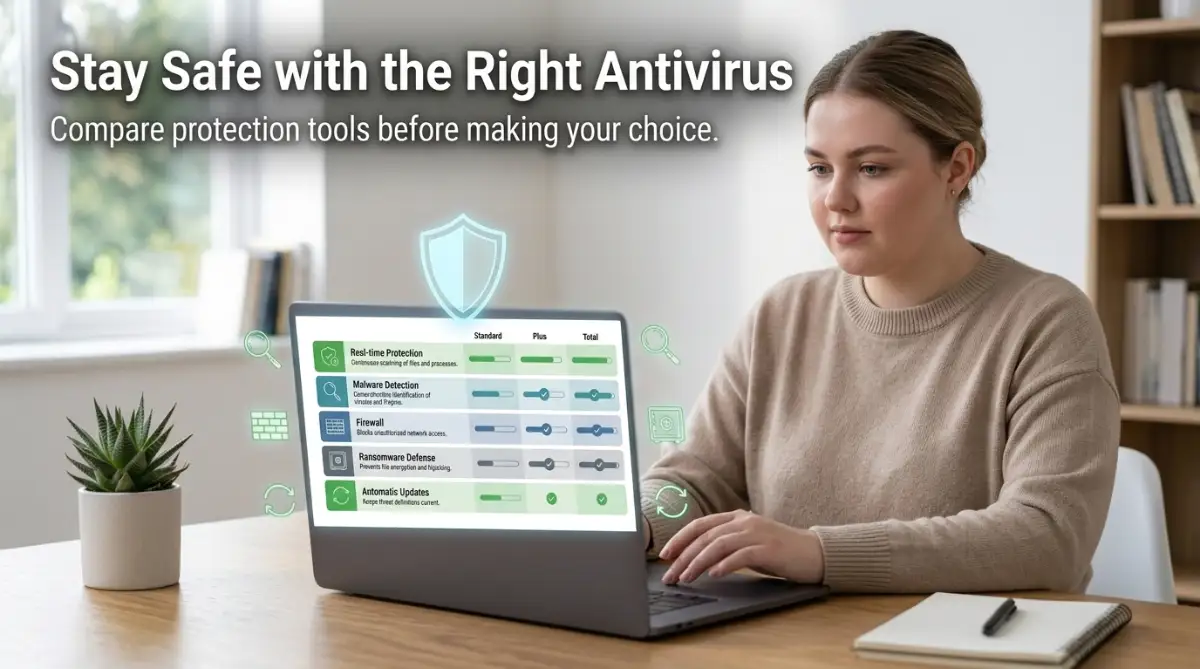
- Ransomware protection to help protect important files from unauthorized encryption.
- Phishing protection to warn you about dangerous websites and fake messages.
- Automatic security updates to improve threat detection.
- Email scanning to check suspicious attachments.
- Privacy protection features that help secure personal information.
A good antivirus should also provide simple controls. If the settings are too complicated, many users may ignore important security options.
The best security software creates a balance between strong protection and easy everyday use. It should work quietly in the background while giving you confidence that your computer is being monitored.
Compare Antivirus Performance, Reliability, and User Experience
After checking your security needs and important features, the next step is comparing how different antivirus programs perform in real situations. A security tool should protect your computer without creating new problems.
One important factor is system impact. Some antivirus programs use a large amount of memory and processing power, which can make your computer slower during daily tasks.
A reliable antivirus should run efficiently while allowing you to browse websites, work on documents, watch videos, and complete other activities without unnecessary interruptions.
Pay attention to how easy the program is to use. A clean interface helps users understand security alerts, scan options, and important settings without confusion.
Consider these points when evaluating an antivirus program:
- Does it provide clear security notifications?
- Can you easily schedule scans or check your protection status?
- Does it update automatically without disturbing your work?
- Are the settings simple enough for beginners?
- Does it support the devices you use regularly?
User experience matters because even the strongest antivirus is less effective if people do not know how to use it properly.
For example, imagine buying a home security system with complicated controls that you never activate. The equipment may be powerful, but it cannot help if it is not used correctly. Antivirus software works in a similar way.
You should also review the reputation of the security company behind the software. A trusted provider usually has a history of improving its technology, responding to new threats, and maintaining user privacy.
Reading independent security reports and user experiences can help you understand how the software performs outside of marketing claims.
Remember that antivirus protection is a long-term decision. The right choice should provide a comfortable balance between security, performance, and simplicity.

How to Make a Smarter Antivirus Decision for Long-Term Protection
Choosing antivirus software does not need to be confusing. When you understand your risks, check important features, and compare performance, you can make a decision based on facts instead of guesswork.
Your computer security depends on daily habits as much as the software you install. Even the best antivirus cannot fully protect a device if users ignore basic safety practices.
Always combine antivirus protection with responsible online behavior:
- Avoid downloading files from unknown sources.
- Keep your operating system and applications updated.
- Use strong and unique passwords for important accounts.
- Be careful with unexpected emails and website links.
- Create backups of important files regularly.
A complete security approach reduces the chances of losing valuable information and helps you use your computer with greater confidence.
By taking time to choose the right antivirus and following smart digital habits, you can create a safer computing environment for yourself and your family.
Final Thoughts: Building Confidence Through Better Computer Security
Your computer is more than just a machine. It is a place where you store memories, complete important tasks, communicate with others, and manage personal information. Protecting that space should be a thoughtful decision rather than something you ignore until a problem happens.
Choosing the right antivirus does not mean selecting the program with the most advertisements or the longest list of features. It means finding a security solution that matches your computer usage, provides reliable protection, and feels easy to manage.
Every user has different needs. A home user, a remote worker, and a small business owner may face different security challenges. Understanding those differences helps you avoid unnecessary confusion and choose protection that makes sense.
Remember that antivirus software is only one part of digital safety. Safe browsing habits, regular updates, careful downloads, and strong passwords all work together to create better protection.
When you take control of your computer security, you reduce risks and gain more confidence while using technology every day.
Frequently Asked Questions (FAQ)
What is the most important feature to look for in antivirus software?
The most important feature is reliable real-time protection because it continuously monitors your computer for suspicious activities and helps detect threats before they cause damage.
Do I really need antivirus software for my computer?
Yes, antivirus software can provide an additional layer of protection against malware, phishing attempts, and other online threats. It can be especially helpful for users who regularly browse the internet, download files, or store important data.
Can antivirus software slow down my computer?
Some antivirus programs may affect system performance, especially during scans. Choosing lightweight security software and adjusting scan settings can help maintain smooth performance.
How often should I scan my computer for threats?
Regular scanning is recommended. Many modern antivirus programs allow automatic scheduled scans, which can help maintain protection without requiring constant manual checks.
Is free antivirus protection enough for everyone?
Basic protection may be suitable for some users, but the right choice depends on your online activities, the type of information stored on your device, and your personal security needs.
Mistakes That Can Reduce the Effectiveness of Antivirus Protection
Even after installing antivirus software, many users still make choices that weaken their overall computer security. Understanding these mistakes can help you avoid unnecessary risks and protect your important information.
Mistake 1: Installing Multiple Antivirus Programs at the Same Time
Some people believe that installing two or more antivirus programs will create stronger protection. In reality, this approach can often create conflicts between security tools.
When multiple antivirus programs run together, they may compete for system resources and interfere with each other's scanning process.
This can lead to slower performance, confusing alerts, and even missed threats.
A better approach is choosing one reliable antivirus solution and configuring it correctly.
Quality is more important than quantity when it comes to computer security.
Ignoring Antivirus Updates and Security Notifications
One common mistake is installing antivirus software but ignoring update messages.
Threats change regularly, and security programs need updated information to recognize new risks.
An outdated antivirus may not detect newer forms of malware effectively.
Many users postpone updates because they think they are inconvenient. However, a short update process is much easier than dealing with lost files or a compromised computer later.
Making updates a normal part of your computer routine can greatly improve protection.
Choosing Antivirus Only Because It Is Free
Free tools can provide useful protection, but selecting security software only because it costs nothing may not always match your needs.
Every user has different requirements depending on how they use their computer.
Someone who stores sensitive documents, manages work files, or performs financial activities may need stronger security features.
The goal should be finding appropriate protection rather than simply choosing the cheapest option.
Understanding your personal risks helps you make a smarter decision.
Trusting Suspicious Downloads and Online Offers
A common security problem happens when users download unknown programs, files, or browser extensions.
Cybercriminals often create fake tools that look useful but secretly contain harmful software.
Before downloading anything, check the source carefully.
Ask yourself:
- Is this website trustworthy?
- Does this software have a clear purpose?
- Are there signs that the download may be unsafe?
A few seconds of checking can prevent hours of frustration later.
Safe online habits work together with antivirus protection to create better results.
Forgetting About Backups and Recovery Plans
Many users focus only on preventing attacks but forget about preparing for unexpected situations.
Even with strong antivirus protection, no security method can remove every possible risk.
Important files should have backups stored in a safe location.
Photos, documents, work projects, and other valuable information should not exist in only one place.
A backup plan gives you another option if something unexpected happens.
You can also improve your understanding of risk management by exploring topics related to protecting personal decisions and avoiding emotional mistakes, such as understanding your decision-making habits in digital investments.
Although the topic is different, the same principle applies: making careful decisions before problems happen can reduce future stress.
How These Mistakes Can Create Bigger Problems
Small security mistakes may appear harmless, but they can create serious consequences over time.
A single unsafe download could expose private information. Ignoring updates could leave your computer open to newer threats.
Poor security habits may also affect your confidence. When users constantly worry about strange messages, slow performance, or possible attacks, using technology becomes stressful.
The purpose of antivirus protection is to help you use your computer with more confidence.
By avoiding these common mistakes, you improve your chances of maintaining a safer and more reliable digital environment.
Taking Control of Your Digital Safety With Better Choices
Protecting your computer is not about finding a perfect solution and forgetting everything else. It is about creating smart habits that continue working over time.
The right antivirus can provide valuable protection, but your awareness and daily choices complete the security process.
When you understand your needs, select suitable features, maintain updates, and avoid risky actions, you create a stronger defense against common digital threats.
Technology should make life easier, not create constant worry.
A few thoughtful steps can help you enjoy a safer computer experience and protect the information that matters most.
Simple Actions You Can Start Today
You do not need to make complicated changes to improve your computer security.
Start with these practical actions:
- Check whether your antivirus is active and updated.
- Remove unknown programs from your computer.
- Review your download habits.
- Create a backup of important files.
- Teach safe online practices to other users of your device.
Small improvements repeated consistently can create meaningful protection.
Your computer security journey begins with awareness, and every positive action you take today helps create a safer digital future.
Creating a Safer Digital Experience Through Smart Antivirus Choices
Your relationship with technology becomes easier when you know your computer is properly protected. The goal of antivirus software is not to make you afraid of using the internet, but to help you use digital tools with greater confidence.
Every day, people use computers for communication, learning, work, entertainment, and managing important information. Because of this, protecting your device should become a normal part of your digital routine.
The right antivirus choice gives you an additional layer of protection, but your own awareness remains one of the strongest security tools available.
A Simple Security Plan You Can Follow Every Day
Building better computer protection does not require advanced technical knowledge. A simple and consistent approach can make a noticeable difference.
Create a habit of checking your digital safety regularly.
A practical routine can include:
- Updating your antivirus when new updates are available.
- Reviewing suspicious files before opening them.
- Checking your computer for unknown applications.
- Keeping important files backed up.
- Using safer browsing habits.
These actions only take a small amount of time but can prevent many common problems.
For example, a person who regularly backs up important documents will have less stress if a security issue damages their computer.
Preparation creates confidence because you already have a plan when unexpected situations happen.
Understanding the Balance Between Protection and Convenience
Some users avoid security tools because they believe protection makes computers difficult to use. This usually happens when security settings are confusing or not properly adjusted.
The best security setup should work quietly while allowing you to complete your normal activities.
You should not feel restricted every time you open a website, download a file, or install a useful application.
A good antivirus program creates a balance between safety and convenience.
It should help you identify risks without making everyday computer use stressful.
This balance is especially important for families where different people use the same device.
Children, older family members, or less experienced users may need simple security settings that help prevent accidental mistakes.
The Importance of Learning From Security Experiences
Every computer user learns from experience. A blocked harmful file, a suspicious email, or a security warning can become a valuable lesson.
Instead of ignoring these moments, use them to improve your future decisions.
Ask yourself:
- What caused this security warning?
- How can I avoid similar situations later?
- Do my current protection settings match my needs?
This mindset helps you become more confident with technology.
You can also explore related topics about protecting valuable decisions and managing online risks, such as learning better strategies for handling digital investment risks.
The same careful thinking used in online security can help people make smarter choices in other areas of digital life.
Why Responsible Technology Use Matters
Antivirus software is a helpful safety tool, but it cannot replace responsible behavior.
A person who clicks every unknown link, downloads random files, and ignores warnings will always face higher risks.
On the other hand, someone who combines reliable protection with careful habits creates a much safer environment.
Think of computer security like personal health. A single healthy meal does not create a healthy lifestyle, and one security scan does not create complete protection.
Consistent actions create better results.
Your Next Steps for Better Computer Protection
After learning how to choose and maintain antivirus protection, the next step is applying this knowledge.
Start by reviewing your current security setup.
Check whether your antivirus matches your needs. Look at your online habits and identify areas where you can improve.
You do not need to change everything at once.
Small improvements, such as enabling updates, creating backups, and being more careful with downloads, can create stronger protection over time.
Technology continues to be an important part of modern life. By making smarter security choices, you can enjoy the benefits of your computer while reducing unnecessary risks.
Final Reminder: Protect Your Computer With Confidence
Choosing the right antivirus is a decision that supports your privacy, files, and peace of mind.
A reliable security tool combined with smart online habits creates a stronger defense against common digital threats.
You now have a clear understanding of what to look for, which mistakes to avoid, and how to maintain better protection in the future.
Start improving your computer security today with simple, practical steps.
A safer digital experience begins with informed choices and consistent habits.
Disclaimer:
This article is for educational purposes only and does not provide professional cybersecurity services or guarantee complete protection against all digital threats. Users should choose security solutions based on their personal needs and keep following safe online practices.