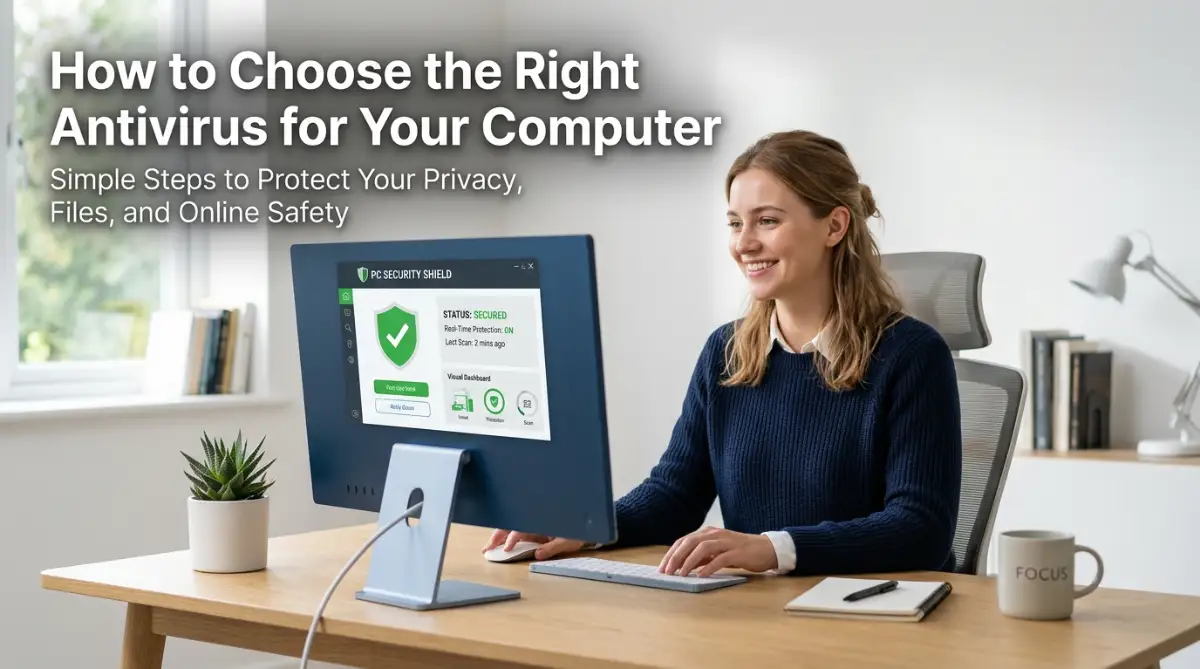
The Scary Truth About Digital Kidnapping
Imagine arriving at your office on a Monday morning. You open your laptop to start your day, but something is wrong.
Instead of your files, you see a bright red screen. It says all your business data is locked.
A timer is ticking down. A message demands thousands of dollars in Bitcoin to get your work back.
This is the reality of a ransomware attack. It is not just a tech problem; it is a direct hit on your hard work.
For many small business owners, this moment feels like a nightmare. You feel helpless, angry, and scared all at once.
Why Business Owners Feel Lost and Vulnerable
Many people try to find help online but get even more confused. Here is why the struggle is so hard for most:
- Bad Advice: Many websites give old tips that do not work against modern hackers.
- Too Much Jargon: Tech experts often use words that are hard to understand.
- The "It Won't Happen to Me" Trap: People think only big banks get hacked.
- Wrong Tools: Business owners often buy cheap software that offers no real safety.
- Information Overload: There are too many tools and not enough clear directions on what to do first.
The Mental Toll of a Cyber Attack
Losing your data is not just about losing files. It is about losing your peace of mind.
- Fear of Ruin: You worry that your business will have to close forever.
- Loss of Trust: You feel ashamed to tell your customers that their data is gone.
- High Stress: The pressure to pay the ransom or lose everything causes physical and mental pain.
- Feeling Exposed: It feels like someone broke into your home and looked through your private things.
I want you to know that you are not alone in this. I have seen many good people face these same fears.
The good news is that you can build a wall around your business. You do not need to be a computer genius to stay safe.
In this guide, I will show you exactly how to defend your company. We will move away from fear and toward a solid plan that works.
Let’s look at the simple steps you can take today to sleep better at night.
Your Shield Against Digital Threats: A Step-by-Step Guide
Protecting your business is like locking your front door. You do it every day to stay safe, and it becomes a habit.
I am going to walk you through the first three big steps. These are the foundation of your safety.
Step 1: Build a Strong Data Backup Plan
Think of a backup as a spare set of keys for your house. If you lose one, you have another to get inside.
In the world of computers, we use the 3-2-1 rule. This is the gold standard for staying safe.
You should have three copies of your data. This includes the original file and two backups.
Keep your backups on two different types of media. For example, use one external hard drive and one cloud service.
Finally, keep one copy in a different location. If a fire or a hack hits your office, your off-site copy stays safe.
I suggest using an automated backup system. If you have to remember to do it manually, you might forget.
When a hacker locks your files, you can just wipe your computer. Then, you use your backup to restore everything.
This takes away the hacker's power. They cannot demand money if you already have your files safe somewhere else.
Step 2: Create a Human Firewall Through Awareness
Most hacks do not happen because of a weak computer. They happen because of a human mistake.
A hacker might send an email that looks like it is from your bank. They ask you to click a link or download a file.
This is called phishing. It is the most common way ransomware enters a business.
You and your team must learn how to spot these fake emails. Look for small mistakes in the sender's email address.
Watch out for emails that create a false sense of hurry. Hackers want you to act fast without thinking.
I recommend having a short meeting with your staff every month. Talk about the latest scams you have heard about.
Make it a rule that no one clicks on links from unknown senders. It sounds simple, but it is very effective.
When your team knows what to look for, they become your strongest defense. You are building a culture of safety.
Step 3: Lock Every Door with Multi-Factor Authentication (MFA)
Passwords are no longer enough to keep hackers out. They can guess them or steal them easily.
This is where Multi-Factor Authentication (MFA) comes in. Think of it as a double lock on your door.
When you log in, the site asks for your password. Then, it sends a code to your phone or an app.
Even if a hacker steals your password, they cannot get in. They do not have your phone to get the second code.
You should turn on MFA for every account you use. This includes your email, your bank, and your social media.
Most big services like Google and Microsoft offer this for free. It only takes a few minutes to set up.
I know it might feel like a small extra step each time you log in. But those few seconds can save your entire business.
It is one of the cheapest and best ways to stop a cyber attack. I use it for every single one of my accounts.
Why These Steps Matter for Your Future
When you follow these steps, you are not just buying software. You are building a system that lasts.
Hackers look for easy targets. They want businesses that have no locks on their doors.
By having backups, trained staff, and MFA, you become a hard target. Most hackers will simply move on to someone else.
I want you to feel confident in your digital space. You have worked hard to build your business, and you deserve to keep it.
Logic tells us that we cannot stop every threat in the world. But we can certainly make it very difficult for them to win.
Each step you take today adds a new layer of armor. It is a smart way to manage your risk and protect your income.
In the next part, we will talk about keeping your software updated. We will also look at how to secure your office Wi-Fi.
Keep moving forward with these steps. You are doing a great job of taking control of your business safety.
Remember, safety is a journey, not a destination. We will keep building this shield together.
Keeping Your Digital Doors Locked Tight
We have already talked about backups and training your team. Now, let’s look at more ways to keep your business safe.
Hackers are always looking for small gaps in your security. It is like a thief checking every window in a house to see if one is unlatched.
According to reports from Forbes, many small businesses lose everything because they miss simple updates. You do not want your hard work to vanish in a second.
You must think of your business security as an ongoing job. It is not something you set up once and then forget about.
Just like you would check the locks on your office every night, you must check your digital locks too. Staying safe means being one step ahead of the people trying to hurt your company.
Let’s move into some expert-level steps that will give you even more peace of mind. These steps are easy to follow and very powerful.
Step 4: Keep Your Software Patched and Ready
One of the biggest ways hackers get into a system is through old software. Every piece of software you use has small bugs or holes.
Companies find these holes and send out updates to fix them. These fixes are often called "patches."
If you do not update your computer, that hole stays open. A hacker can walk right through it and plant ransomware on your server.
I suggest you turn on automatic updates for every device in your office. This includes your computers, tablets, and even your smart printers.
Do not wait for a week to click the "Update" button. Every hour you wait is an hour a hacker could find you.
Think of it like a recall on a car part. If the brakes are broken, you fix them right away to stay safe.
Step 5: Separate Your Digital Rooms
Imagine your office is one giant room with no walls. If a fire starts in the corner, it will spread to everything very fast.
Computers work the same way. If all your computers are connected to one big network, the ransomware can jump from one to another.
This is where Network Segmentation helps. It sounds like a big word, but it just means building walls inside your digital office.
You can put your guest Wi-Fi on one network and your business files on another. You can also keep your accounting computers away from the computers used for general browsing.
If a hacker gets into one computer, the "walls" you built stop the virus from moving. It stays stuck in one small area.
This saves your entire business from going down at once. It gives you time to catch the problem and fix it before it ruins everything.
Your Long-Term Plan for Constant Safety
Staying safe over a long time takes a little bit of planning. You cannot just rely on luck to keep the hackers away.
I recommend doing a "security checkup" every few months. Look at who has access to your files and remove people who no longer work there.
Hackers often use old accounts that were never closed. It is like leaving a key under the mat for an old employee who moved away.
Also, make sure you are using a professional firewall. A firewall acts like a security guard standing at your digital front door.
It checks everyone coming in and out. If someone looks suspicious, the guard blocks them immediately.
Keeping your business safe also means managing your stress. Just like you might feel why your brain is your biggest enemy in crypto investing, fear can lead to bad choices in cybersecurity.
Stay calm and follow your plan. A calm mind makes it much easier to spot a scam before it happens.
If you deal with digital assets, you should master crypto volatility by keeping your main accounts separate from your daily work. This protects your money even if your work computer gets a virus.
Finally, remember that tech is always changing. What worked a few years ago might not be enough today.
Keep reading and keep learning. When you know more, you fear less.
Your business is a big part of your life. Protecting it from ransomware is one of the best gifts you can give yourself and your team.

Five Common Mistakes That Put You at Risk
Even the best business owners make mistakes. But in the world of cyber safety, one mistake can be very expensive.
I want to help you avoid the traps that many others fall into. Here are the five biggest errors I see people make.
1. Thinking "I Am Too Small to Be a Target"
This is the most dangerous thought you can have. Hackers do not always look for big names; they look for easy targets.
They use automated tools to scan thousands of businesses at once. If your door is open, they will walk in, no matter how small you are.
In fact, small businesses are often preferred targets. Hackers know that smaller shops usually have weaker security.
2. Never Testing Your Backups
Having a backup is great, but is it actually working? Many people think they are safe until they try to use their backup and find it is empty.
You must test your files at least once a month. Try to restore a few folders and see if everything is there.
If you don't test it, you don't really have a backup. It is just a file that might fail you when you need it most.
3. Using the Same Password for Everything
I know it is hard to remember twenty different passwords. But using the same one for your email, bank, and office is a huge mistake.
If a hacker gets the password for your social media, they can now get into your company bank account. It is like having one key that opens every door in your city.
Use a Password Manager to keep track of unique, strong passwords. It makes your life easier and your business much safer.
4. Forgetting About Mobile Devices
Most people protect their laptops but forget about their phones. We check work emails and look at business files on our phones all day.
If your phone does not have a passcode or a virus scanner, it is a weak link. Hackers can get into your phone through a bad app and then into your office network.
Treat your phone like a work computer. Keep it updated and be careful about what you download.
5. Not Having a Response Plan
When a hack happens, people panic. They start clicking buttons and sometimes make the problem worse.
need a simple sheet of paper that tells you what to do. Who do you call? How do you turn off the internet?
Without a plan, you will waste time when every second counts. A quick response can be the difference between a small fix and a total loss.
If you are looking for crypto passive income, you already know that planning is key. The same logic applies here; protect what you earn with a solid defense.
A Brighter, Safer Future for Your Business
You have learned a lot today about staying safe. It might feel like a lot to do, but you can take it one day at a time.
Start by turning on MFA. Tomorrow, check your backups. Next week, talk to your team about phishing emails.
By taking these small steps, you are building a massive wall of protection. You are taking control of your future.
You do not have to live in fear of ransomware. With the right tools and a smart plan, you can focus on growing your business instead of worrying about hackers.
I believe that every business owner can be their own best security expert. You have the power to stop these attacks before they even start.
Keep your head up and stay alert. Your hard work is worth protecting, and you are doing exactly what you need to do.
Take a deep breath and start securing your digital world today. You’ve got this!
Disclaimer: The information provided in this blog post is for educational purposes only. Cybersecurity is a broad field, and while these tips are highly effective, no system is 100% immune to all threats. We recommend consulting with a professional IT security expert for a detailed analysis of your specific business needs. We are not responsible for any data loss or damages resulting from the use of this information.