The Hidden Nightmare Inside Your Inbox
You are probably checking your email right now, completely unaware that someone is actively trying to break into your life.
A few weeks ago, I almost handed over my entire bank account to a scammer because of one tiny, misspelled word in a link. I had just clicked a link in an email that looked exactly like my bank, asking me to verify a recent, unusual transaction. My heart pounded in my chest as the login page loaded on my screen. I almost typed my password before noticing a tiny, almost invisible spelling mistake in the web address at the top of my browser. That single moment of intense panic taught me a terrifying lesson about digital safety. I realized that my personal data was always just one wrong click away from falling into the hands of invisible thieves.
This is the harsh reality most of us face every single day. You open your inbox, expecting messages from friends, family, or work, only to find it flooded with digital landmines. These fake messages are designed to trick you, scare you, and ultimately steal your hard-earned money and identity.
It is mentally exhausting to question every single message that lands on your phone. You start feeling paranoid whenever a delivery service asks you to confirm a package, or when your favorite streaming platform says your account is suspended. The anxiety of potentially losing your life savings because of a simple mistake takes a huge toll on your mental peace.
Quick Security Takeaways For You:
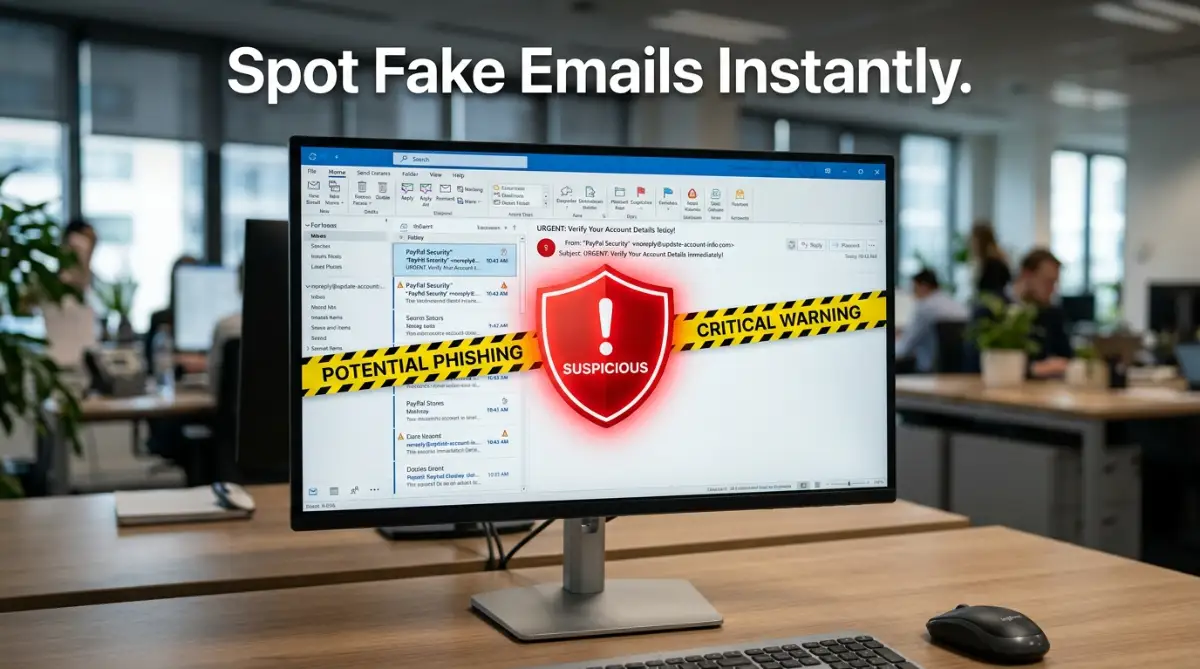
- Don't trust the display name: Always click on the sender's name to reveal their actual, hidden email address.
- Avoid the "Unsubscribe" button on spam: It just tells scammers your email is active. Mark the message as junk instead.
- Set up Two-Factor Authentication (2FA) today: It is the absolute best way to keep your money and data safe from remote hackers.
- Adopt a "Zero Trust" habit: Independently verify every single urgent message before you click a link or panic.
The Psychology of the Scam: How They Trick Our Brains
Before we jump into the technical steps, we have to understand how these scammers actually operate. They do not just hack computers; they hack human emotions. Cybercriminals know that if they can make you feel panicked, excited, or highly curious, your logical brain will temporarily shut down.
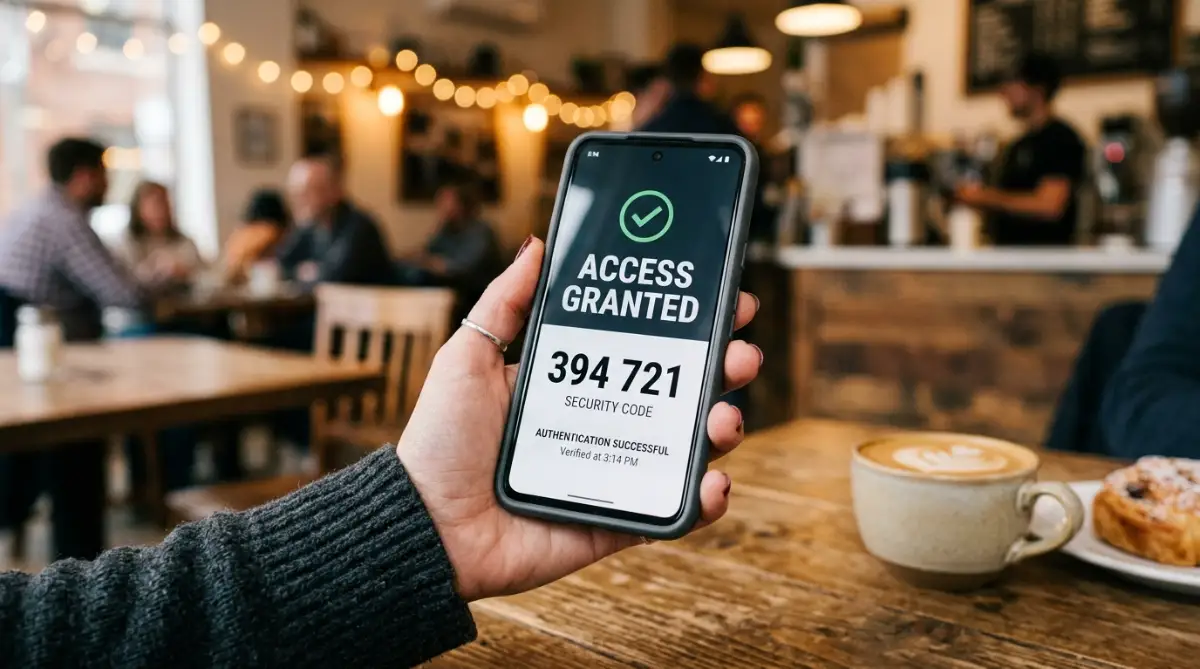
Think about the last time you received a message claiming your account would be permanently deleted in 24 hours. Your immediate reaction was likely fear. That fear pushes you to act quickly without double-checking the facts. This is a calculated psychological manipulation.
Scammers also use greed as a weapon. Winning a lottery you never entered or receiving a massive unexpected tax refund are classic examples. They dangle a shiny reward in front of you, hoping you will trade your sensitive details to claim it.
When you understand that these emails are carefully crafted emotional traps, you gain a massive advantage. You can train yourself to pause whenever a message makes you feel a sudden rush of emotion. That simple pause is often all it takes to spot the lies hidden within the text.
Here is a quick look at how our brains get tricked online and how you should react:
Myth vs Reality: Email Security
- Myth: Only older, non-technical people fall for online scams.
- Reality: Scammers actively target busy professionals, distracted students, and tech-savvy individuals by impersonating familiar tools and brands.
- Myth: An email is perfectly safe if it has the official company logo.
- Reality: Anyone can copy and paste a brand logo from the internet in less than five seconds.
Spotting the Invisible Red Flags
Now, let us look at the practical ways to identify a scam before it does any damage. The absolute biggest giveaway of a fake message is the sender's actual email address.
Scammers can easily change the "display name" to say anything they want, like "Customer Support" or "Security Team." However, they cannot easily fake the actual hidden email address behind that name.
If you get a warning from a major brand, but the email address ends in a random string of numbers or a free email provider, it is absolutely a scam. Major companies will always contact you from their official, verified domains. Always take three seconds to click on the sender's name and reveal the true address.
I actually learned this the hard way. I once received an invoice for a software subscription I never bought, and I was so furious that I almost clicked the "Cancel Order" link to dispute it. Fortunately, I noticed the sender's address was a random personal account, completely unrelated to the software company. That tiny realization saved my credit card details from being stolen!
[Highly engaging introductory text for the video]
If you are a visual learner, I highly recommend watching this incredibly helpful breakdown below. It shows real-life examples of exactly what these dangerous messages look like on your screen, making it completely effortless to spot them next time!
Another massive red flag is the use of generic greetings. If your bank or internet provider is contacting you about a serious issue, they know your actual name. Messages that start with "Dear Customer" or "Valued Member" should instantly put you on high alert. Scammers send millions of these messages at once, so they use generic terms to save time.
Then, we have the dangerous world of hidden links. Scammers hide their malicious websites behind harmless-looking buttons like "Click Here to Verify." The best way to beat this trick is by hovering your mouse pointer over the link without actually clicking it.
When you hover, a small gray box will appear at the bottom corner of your screen showing the true destination of the link. If the text says it goes to your bank, but the hover box shows a bizarre, misspelled web address, do not click it. On a mobile phone, you can carefully press and hold the link to preview the actual address before opening it.
Building Your Digital Fortress
Spotting scams is only the first half of the battle. The next phase is configuring your digital life so these dangerous messages never even reach your main inbox.
Try this 1-Minute Inbox Cleanup Challenge right now:
- Search your primary inbox for the word "unsubscribe".
- Find three old newsletters or promo emails you never read anymore.
- Instead of clicking the links inside, use your email app's built-in "Mark as Spam" or "Block Sender" button.
- I do this every Sunday morning while drinking my coffee, and my inbox has never been cleaner!
Your email provider already has built-in defense systems, but you need to help them learn. Whenever a suspicious message sneaks into your primary folder, never just delete it. Deleting it does nothing to stop the next one.
Instead, you must manually mark it as spam or phishing using the buttons provided by your email service. This action sends a direct signal to the security algorithms. You are basically teaching the system to recognize and block similar threats in the future for both you and millions of other users.
You should also seriously consider using a separate email address for your most important accounts. Think about it logically. If you use the exact same email for your banking, your social media, and signing up for random online newsletters, you are exposing your financial life to unnecessary risks.
Keep one highly private address exclusively for banking and official government services. Never use this address to sign up for retail discounts or free downloads. By keeping it hidden from public databases, you dramatically reduce the chances of it being targeted by automated phishing attacks.
The Ultimate Failsafe: Two-Factor Authentication
Even the most careful people can make a mistake. You might be tired, distracted, or in a rush, and you accidentally click a bad link and enter your password. If that happens, the scammers immediately have the keys to your digital house.
This is exactly why you need an unbreakable second lock on the door. Two-Factor Authentication (2FA) is the most powerful tool you have to protect your data. When 2FA is active, knowing your password is no longer enough to get inside your account.
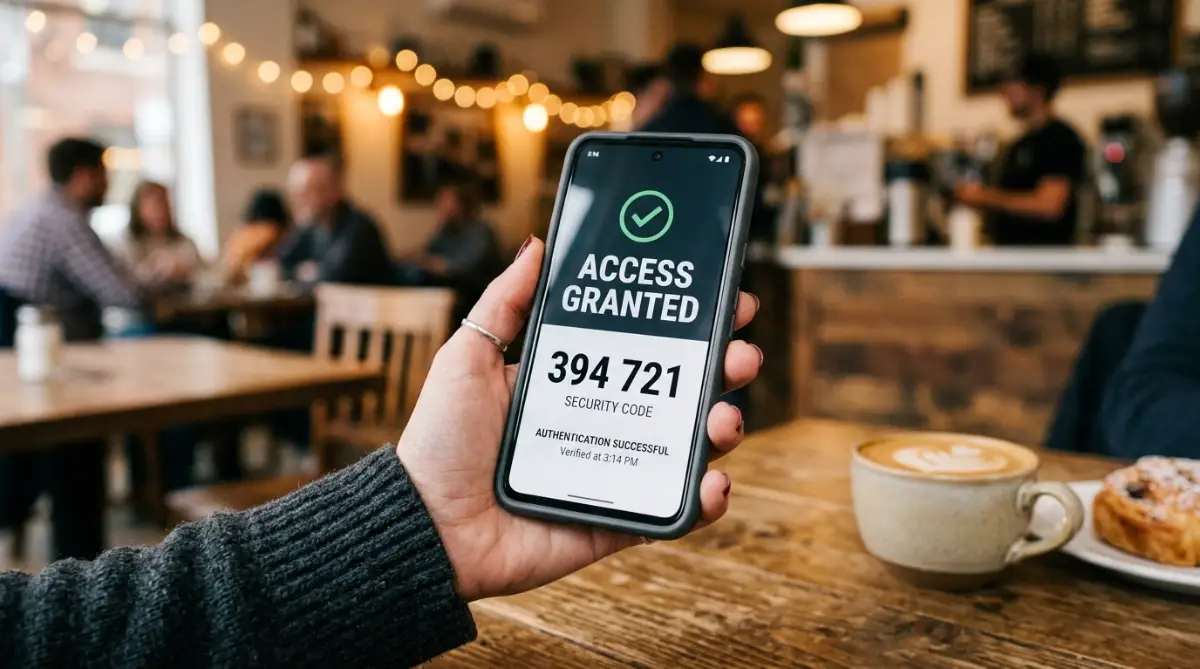
The system will require a second piece of proof that you are the real owner. This is usually a temporary code sent to your phone or generated by a specific authenticator app on your device. Even if a scammer in another country manages to steal your password through a fake email, they cannot log in because they do not have physical access to your phone.
Setting this up takes less than five minutes for most major platforms. Go into the security settings of your email, social media, and banking accounts right now. Turn on the requirement for a secondary code. It might feel like a minor inconvenience when you log in, but that extra five seconds offers absolute peace of mind.
Real-Life Scenarios You Must Prepare For
Let us walk through some common situations you will likely face this week. Recognizing these specific patterns will make you virtually bulletproof against modern scams.
The Fake Invoice Trap
You receive a receipt for a very expensive purchase, like a new smartphone or a high-end computer. The message states that your credit card has been charged. You panic because you did not buy anything. They helpfully include a large phone number or a link to "cancel the transaction."
If you call that number, a fake customer service agent will pretend to help you, but they will actually trick you into installing remote access software on your computer. To beat this, ignore the email completely. Open a new browser window, log into your credit card account directly, and check your recent transactions. You will almost always find that no such charge exists.
The Urgent Boss Request
If you use email for work, you might get a message that looks exactly like it came from your company's CEO or your direct manager. The message usually says they are stuck in a meeting and need you to quickly buy several digital gift cards for a client presentation.
They stress that it is incredibly urgent and highly confidential. This plays on your desire to be helpful and your natural respect for authority. The absolute best way to handle this is to step away from the computer. Walk over to your manager's desk, or send them a quick text message on their phone to ask if the request is real. Nine times out of ten, they will have no idea what you are talking about.
The Suspended Account Alert
We all love our entertainment, and scammers know this perfectly. You might receive an alarming notice that your favorite movie streaming service is cancelling your account immediately due to a billing error. They tell you to update your payment details through their provided link to keep watching.
They hope you will blindly enter your credit card number to save your weekend movie night. Never use their link. Always type the official website address directly into your browser. If there is a real issue with your payment, you will see a clear notification waiting for you safely inside your actual account dashboard.
Adopting a Zero Trust Mindset
The ultimate secret to stopping these attacks is changing how you view your inbox. Most people operate with a mindset of automatic trust. They assume a message is safe until proven otherwise.
You need to flip that completely around. Adopt a mindset of "Zero Trust." Assume every single unexpected message asking for information or urging you to click a link is dangerous until you can independently verify it.
If a friend sends you a weird link out of nowhere with no context, do not click it. Their account might be compromised. Call them and ask if they actually sent it. If a government agency emails you threatening legal action, remember that official legal notices are almost never served via random emails.
When you stop reacting emotionally and start verifying independently, you strip the scammers of their only weapon. You take back control of your digital environment. Your data remains locked away, safe and completely secure.
Leveling Up Your Inbox Defense: Pro Secrets
We have already covered the basics of identifying fake messages, but now it is time to turn you into a true digital security expert. Hackers are constantly updating their tricks, which means you need to stay one step ahead of their games. I want to share a few advanced techniques that security professionals use to keep their personal data completely invisible.
One of the smartest things you can do today is stop giving out your real email address. Think of your primary email like your home address; you would never hand it out to random strangers on the street. Instead, you can start using digital aliases or "burner" addresses for your online shopping and newsletter signups.
Many modern smartphones and email providers offer a feature that automatically generates a random, unique email address every time you sign up for a new service. All messages sent to this random address safely forward to your main inbox. If that specific shopping website ever gets hacked, the scammers only get a fake address that you can instantly delete with one click.
The Power of Digital Filtering
Another incredibly powerful tool is setting up a secure Domain Name System, commonly known as a DNS filter, on your home network. You can think of a DNS filter as a highly trained security guard standing at the front door of your internet connection. Before your computer is allowed to load a website, this guard quickly checks a massive global database of known scam sites.
If you accidentally click a malicious link in a fake shipping email, the DNS filter steps in and completely blocks the page from loading. It will simply display a warning screen instead of letting the dangerous website steal your data. You can learn more about how these network defenses operate by reading the official guidelines on recognizing and avoiding phishing from the Federal Trade Commission, which offers excellent consumer protection advice.
I also highly recommend taking control of your daily software habits. Most people ignore those annoying update notifications on their phones and computers, thinking they just add new colors or minor features. In reality, those updates contain massive security patches designed to fix hidden weaknesses in your operating system.
When you delay an update, you are basically leaving a known broken window open in your digital house. Scammers actively search for people using older, unpatched software because it makes their fake attachments much easier to execute. Make it a habit to turn on automatic updates for every single device and application you own.
Protecting Your Digital Investments
If you handle any kind of online trading, this level of defense becomes absolutely mandatory. Scammers love targeting people who hold digital assets because those transactions are often permanent and impossible to reverse. If a thief gets into your exchange account through a clever fake email, your funds can disappear in seconds.
You need to lock down your financial apps with the strictest security settings available. I always tell my friends that protecting digital investments starts with securing the inbox attached to those accounts. Never use the same email for your financial portfolios that you use for your social media profiles.
Finally, consider adding a trusted security software layer to your main computer. A dedicated program can scan incoming files and alert you if an attachment behaves suspiciously. Finding reliable antivirus protection is a simple way to add an extra safety net for those times when you are too tired to spot a scam yourself.

Dangerous Security Habits You Must Drop Today
Even with the best tools in place, human error is still the biggest threat to your private data. I have seen incredibly smart people lose their life savings simply because they made one silly mistake during a busy workday. We need to talk about the common traps that people fall into so you can completely avoid them.
The most terrifying mistake you can make is reusing the exact same password across multiple websites. You might think your password is very strong, but if you use it everywhere, you are playing a dangerous game. When a small, poorly secured website gets hacked, criminals steal the entire list of user emails and passwords.
They then use automated software to test your favorite password on your banking, email, and social media accounts. This is called "credential stuffing," and it works incredibly well. To stop this, you must use a dedicated password manager to generate and remember a completely different, random password for every single account you own.
Another massive trap is clicking the "Unsubscribe" link at the bottom of obvious scam emails. When you receive a bizarre message offering cheap medications or fake lotteries, your first instinct is to unsubscribe so they stop bothering you. However, clicking that link actually does the exact opposite.
By clicking anything inside a spam message, you are sending a direct signal to the scammer that your email address is active and actively monitored by a real human. They will immediately sell your confirmed address to hundreds of other criminal networks. The correct action is to manually flag the message as junk and delete it without ever interacting with the contents.
The Cross-Platform Deception
People also make the mistake of trusting a message just because it comes through a different channel. For example, you might get a fake email about a locked account, and five minutes later, you receive an SMS text message saying the exact same thing. This coordinated attack makes the scam feel incredibly authentic and urgent.
Scammers use multi-channel attacks to overwhelm your logical thinking. They want you to panic and think, "Wow, they are emailing and texting me, this must be a real emergency!" You should always remember that caller IDs and text message sender names can be faked just as easily as an email address.
If you ever feel overwhelmed or unsure about an alert, simply turn off your phone screen for five minutes. Do not call the number they provide, and do not reply to the text. You can report these coordinated attacks directly to government watchdogs; for instance, the Cybersecurity & Infrastructure Security Agency (CISA) provides resources on reporting cyber incidents, helping authorities track down these massive scam networks.
Lastly, small business owners often make the mistake of assuming they are too small to be targeted. They think hackers only go after massive corporations with millions of dollars. The reality is that scammers love targeting small teams because they usually have much weaker security systems in place.
If you run a team, you must ensure everyone is trained to spot fake invoices and dangerous attachments. Setting strict rules about securely managing shared passwords is a great place to start. A single compromised employee inbox can lead to a massive data breach that could permanently destroy your business reputation and leave you completely safe from ransomware threats if handled properly.
Your Step-by-Step Blueprint for a Secure Digital Life
We have covered a massive amount of ground today, from spotting the invisible red flags to setting up advanced digital filters. Reading about these strategies is great, but taking actual steps is what will truly protect your family. You do not need to do everything at once, but you do need to start building your defense today.
Start by changing how you view your daily inbox. Treat every unexpected message with a healthy dose of suspicion, especially if it asks for sensitive details or demands immediate action. Remember that taking just five seconds to hover over a link or check a sender's true address can save you months of financial stress.
Make a promise to yourself that you will turn on Two-Factor Authentication for your email and banking apps before you go to sleep tonight. It is the single most effective barrier you can put between your money and a cybercriminal. Once that is done, you can slowly start moving your passwords over to a secure manager.
My Personal Message to You
I know exactly how overwhelming and scary the digital world can feel when you realize how many threats are out there. But I also know the incredible sense of relief that comes when you finally take control of your own security. You have the power to completely block these scammers from your life, and I am so excited for you to build an inbox that actually feels safe again.
Common Questions About Email Safety
Can opening a suspicious email immediately give me a virus?
Simply clicking to open and read a text-based email is generally safe on modern devices. The real danger happens when you click a link inside the message, download an attached file, or enable hidden images. As long as you only look at the text and then delete it, your device will remain perfectly safe.
What should I actually do if I accidentally clicked a phishing link?
Do not panic, but act immediately by disconnecting your device from the internet to stop any potential background downloads. Next, use a completely different device to log into the compromised account and change your password instantly. Finally, run a full system scan using your installed security software to ensure no hidden trackers were left behind.
Are mobile phones completely safe from fake email scams?
Mobile phones are actually prime targets for scammers because the smaller screens make it much harder to spot fake web addresses. People are also usually distracted or rushing when checking emails on their phones, leading to accidental clicks. You must be extra cautious and always press and hold links to preview them before opening anything on a mobile device.
How do these hackers find my private email address in the first place?
Your address likely ended up in a hacker's database because a website you signed up for years ago experienced a massive data breach. Data brokers also scrape public social media profiles and sell this contact information legally, which eventually falls into the wrong hands. You can check if your email was involved in a major breach by using trusted security research tools created by university cybersecurity programs or independent privacy researchers.
Will turning on a standard VPN protect me from these inbox threats?
A Virtual Private Network is fantastic for keeping your browsing activity hidden from your internet provider, but it cannot stop you from manually giving away your password. If you willingly type your credit card into a beautifully designed fake website, a VPN will simply encrypt that stolen data as it goes to the scammer. You still need strong personal awareness and a solid DNS filter to truly block these psychological tricks.
Disclaimer: The information provided in this article is for educational and informational purposes only and does not constitute professional cybersecurity or legal advice. While we strive to provide accurate and up-to-date information, digital threats evolve rapidly. Always consult with certified IT professionals for specific security configurations related to your personal or business networks. We are not responsible for any data loss or financial damages resulting from the misinterpretation of this guide.